Skip to content

Quick Summary: A 360 video booth suits high-energy launches. An interactive mirror fits galas and conferences. Guests there prefer guided, polished photos. The mirror needs less space and moves guests faster. It also costs slightly less on average. But the 360 creates a bigger visual moment. Choose based on your event goal, venue layout, and guest flow. Consider using both for large events. This spreads lines and offers varied keepsakes. Always compare full quotes, including staffing, branding, and delivery, not just starting prices.
Need polished, branded content guests will actually share? A 360 booth often suits high-energy launches, while an interactive mirror rental fits galas, conferences, and smaller rooms.
Both options draw a crowd and support your brand. The answer is that a 360 booth suits high-energy launches, while an interactive mirror fits formal events. But they create very different guest setup s. A mirror focuses on touchscreen prompts and still photos. A 360 booth creates motion-led clips around a platform.
At Sunflow Booths, we help Michigan teams match the setup to their event plan. This guide compares interactive mirror rental and 360 options by goals, space, guest flow, lead capture, and cost. It also explains what a fair interactive mirror rental quote should include.
360 Video Booth vs Interactive Mirror: At a Glance
| 360 Video Booth | Interactive Mirror | |
|---|---|---|
| Core experience | High-energy platform experience with rotating camera | Interactive full-length touchscreen photo experience |
| Content output | Slow-motion or edited 360-degree video clips | Branded still photos, digital files, and optional prints |
| Best corporate use | Brand activations, launches, galas, social-first events | Conferences, galas, employee events, elegant activations |
| Space need | Often about 14 by 14 feet, plus queue space | Often about 10 by 10 feet, plus queue space |
| Branding and sharing | Logo overlays, music, instant text sharing, digital gallery | Animated screens, custom layouts, instant digital sharing |
| Typical U.S. price range | About $675 to $2,500 for three hours, depending on scope | About $900 to $1,900 for three hours, depending on scope |
How 360 Video Booth and Interactive Mirror Compare
360 Video Booth
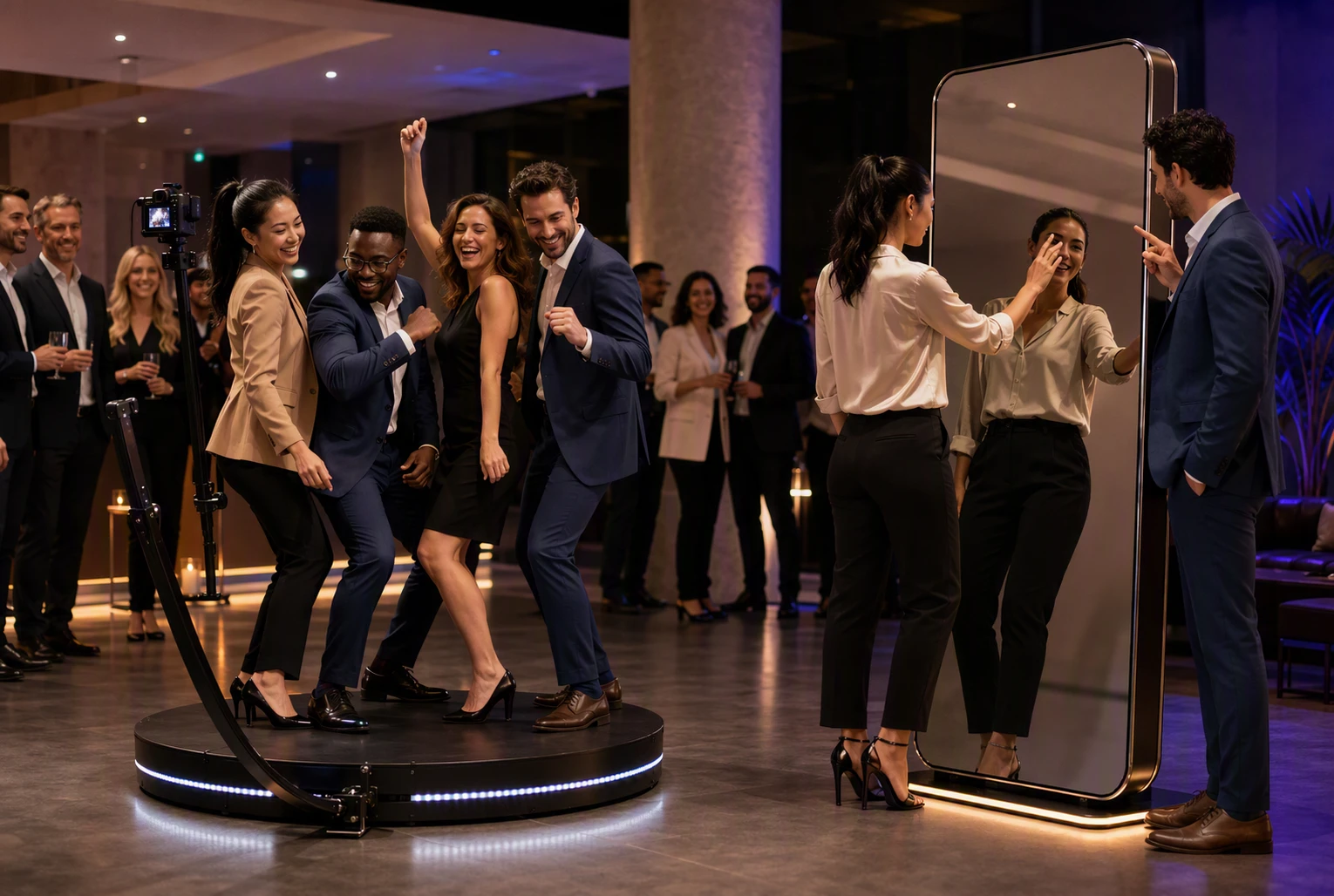
Guests stand on a platform while a rotating camera creates slow-motion clips with music and branded effects. It suits launches, galas, and social-first activations that need a lively moment.
Key strengths
- Branded video clips
- Fast digital sharing
Interactive Mirror
This full-length touchscreen guides guests through animated photo prompts. It fits conferences, employee events, and polished gatherings that value prints and digital keepsakes.
Key strengths
- Branded photo layouts
- Optional instant prints
How the Two Experiences Differ for Corporate Guests
What Guests Actually Do at Each Booth
A 360 video booth puts guests at the center of a short performance. They step onto a platform, pose, dance, or show off a product while a camera circles them. It draws a crowd and creates energy.
An interactive mirror feels more personal. Guests see themselves on a full-length screen, follow touch prompts, add a signature, then take polished portraits.
- Choose 360 for bold, social moments.
- Choose a mirror for easy, all-ages participation and a refined feel.
Keep instructions simple. Event tech works best when guests know what to do in seconds, a point reinforced by MeetingsNet’s report on simple event design.
The Content Your Brand Takes Away
| Experience | Best brand asset |
|---|---|
| 360 video | Short, high-energy social clips |
| Interactive mirror | Branded portraits guests keep |
360 footage supports reels, recap videos, and event buzz. Mirror photos offer cleaner head-and-shoulder images, useful for email follow-up and internal culture posts. Both can use branded overlays, but the content should match your campaign goal.
Which Format Fits Your Corporate Event Goal?
Brand Activations, Product Launches, and Trade Shows
Choose a 360 video experience when your goal is reach. Guests create motion-rich clips that spotlight a product, logo, or campaign theme. It works best where people expect a bold, shareable moment.
At trade shows, hands-on product access drives action more than flash alone, according to PCMA’s B2B attendee research.
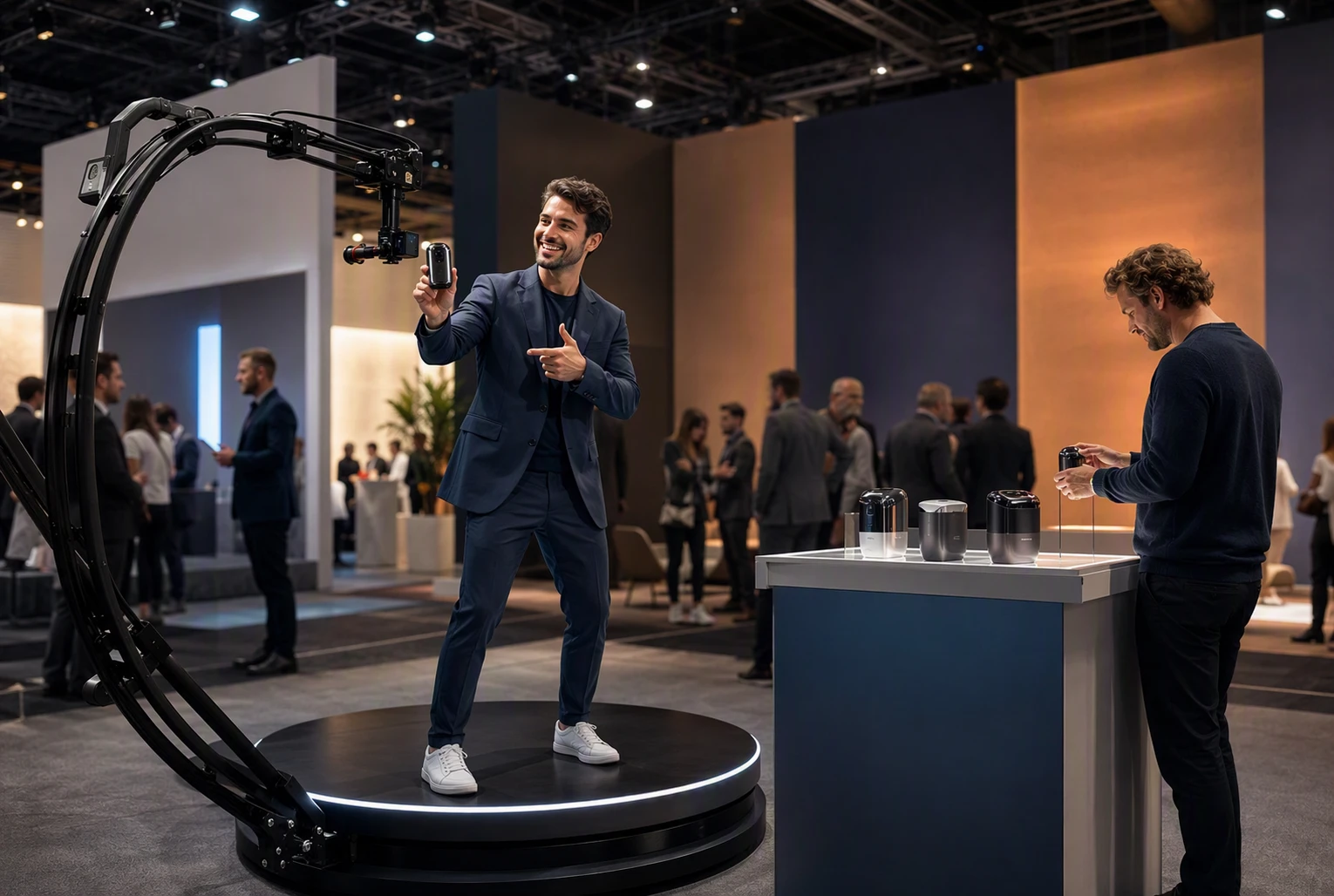
- Use 360 for product reveals, influencer moments, and social posts.
- Add a mirror for a lower-pressure lead capture station.
Keep branding clear, but ask only for data you will use and explain why.
Conferences, Galas, and Employee Events
Pick an interactive mirror for steady guest flow and easy group photos. It feels polished without pulling people into a performance. That suits cocktail hours, awards nights, and employee parties.
- Choose 360 for a headline moment or high-energy dance floor.
- Choose a mirror for formal attire, mixed ages, and quick keepsakes.
- For large crowds, place the mirror near networking zones and the 360 booth near entertainment.
Space, Guest Flow, and Venue Logistics Compared
Footprint, Power, and Load-In
A 360 video booth needs a clear, level zone around its spinning platform. Plan extra room for guests, an attendant, lighting, and a safe perimeter. It also needs a nearby power source and a direct load-in path.
An interactive mirror sits flatter against a wall or backdrop. It works better in ballrooms, hotel foyers, and tighter sponsor lounges.
| Factor | 360 Video Booth | Interactive Mirror |
|---|---|---|
| Space need | Larger open footprint | Smaller, flexible footprint |
| Best placement | Open floor area | Wall, backdrop, or corner |
| Load-in concern | Platform and clear path | Easier through tight spaces |
Keep both setups off fire exits, service lanes, and the main registration path.
Throughput, Lines, and Accessibility
Mirrors usually move guests through faster because each session is short and familiar. A 360 booth creates a bigger moment, but groups take longer to pose and reset.
- Put a 360 booth near a lounge, not a bottleneck.
- Use stanchions and clear entry and exit points.
- Leave an accessible route around either activation.
The ADA’s meeting advice stresses that room layouts should let mobility-device users move and participate independently. Sunflow Booths can help map placement before load-in.
Corporate Branding, Sharing, and Measurable Engagement
Making the Brand Visible Without Making the Content Unshareable
Brand the frame, not the whole memory. A 360 video can carry an animated intro, outro, and music cue. An interactive mirror can add a logo, themed backdrop, and digital props.
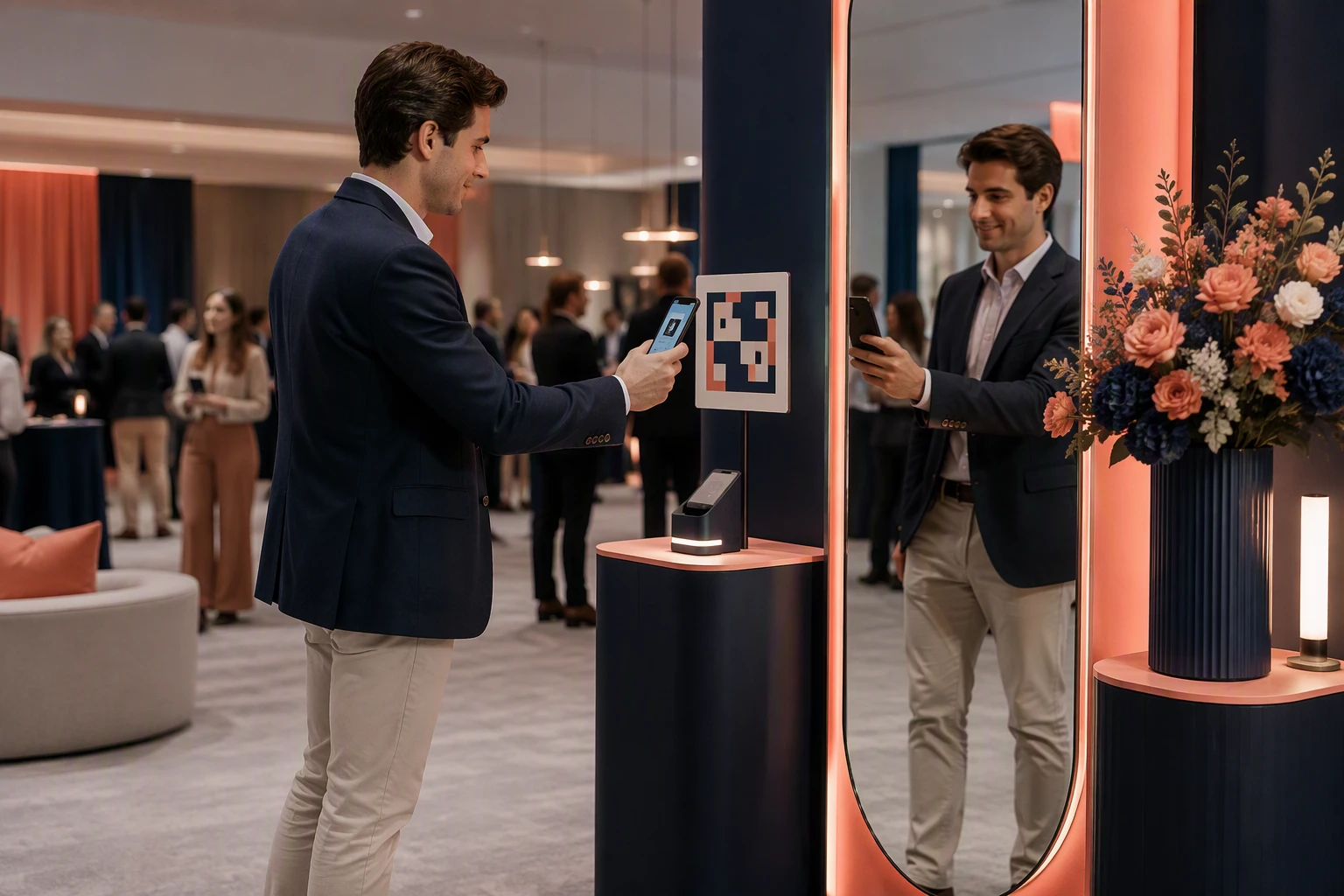
Keep overlays light so guests still look like themselves. Give them a fast QR, text, or email delivery option. Share-ready content earns more posts than a logo-heavy ad.
- Use one clear campaign hashtag.
- Match colors and props to the event theme.
- Offer two or three branded templates, not ten.
Data Capture and Post-Event Reporting
Ask only for data your team will use. A simple opt-in screen can collect email, consent, and one qualifying answer. The FTC advises businesses to collect only needed data, secure it, and dispose of it safely through its data security guidance.
| Metric | What it shows |
|---|---|
| Sessions | Total booth use |
| Shares | Content sent or posted |
| Opt-ins | Permission-based contacts |
| Top template | Strongest creative |
Make the consent message plain. Marketing use beyond the guest’s requested delivery needs clear permission, according to the FTC’s privacy guidance.
How Much Does a Corporate 360 Booth or Interactive Mirror Cost?
What a Professional Quote Should Include
Expect a 360 booth to cost more than an interactive mirror. Recent booking data puts the median at $750 for 360 booths** and **$866 for mirror booths, though corporate branding and longer hours can push either higher, according to Check Cherry rental data.
A clear quote should list:
- Rental hours and setup window
- On-site attendant coverage
- Custom overlay or brand design
- Digital delivery and gallery access
- Printing, props, backdrop, and sharing options
- Travel, parking, and venue fees
Compare the full scope, not the starting price. A cheaper quote may exclude staffing or custom work.
The Hidden Cost Drivers Planners Should Ask About
Ask whether the quote covers:
- Extra hours, idle time, or early load-in
- Complex venue access, stairs, or long walks from loading
- Custom wrap, branded backdrop, or advanced motion effects
- Data capture setup and post-event file delivery
- Extra staff for 360 safety and guest flow
A 360 setup often needs more space, setup time, and staff than a mirror. For a smoother corporate event, get every add-on and operational rule in writing before you sign.
Which Should You Choose: 360 Video Booth or Interactive Mirror?
Choose the 360 Video Booth When Motion Is the Main Attraction
Pick a 360 booth for launches, parties, and high-energy crowds. It creates bold, fast-moving keepsakes that fit a campaign built around excitement and social sharing.
- Reserve clear floor space.
- Plan for small groups and repeat takes.
- Use branded overlays and music that match the event theme.
Choose it when the experience itself needs to stop traffic.
Choose the Interactive Mirror When Polish and Participation Matter Most
Choose an interactive mirror for galas, conferences, and employee events where guests may prefer an easy, guided experience. Its full-length format suits polished portraits, group shots, and custom prompts.
| Priority | Better choice |
|---|---|
| High-energy content | 360 Video Booth |
| Formal guest portraits | Interactive Mirror |
| Broad age range | Interactive Mirror |
| Big visual moment | 360 Video Booth |
PCMA research finds participatory formats lead attendee satisfaction.
When a Two-Booth Strategy Makes Sense
Use both for large events with different guest needs:
- Place the 360 booth near the party or main activation.
- Put the mirror near registration or a quieter lounge.
- Give both the same campaign look and clear sharing path.
This setup spreads lines, supports more guest types, and gives your team both energetic and polished brand assets.
Choose the right fit for your guest flow and brand goals. Sunflow Booths can plan, staff, and customize a 360 or interactive mirror experience for your Michigan corporate event.
Frequently Asked Questions
Q1: What is the difference between a 360 video booth and an interactive mirror for corporate events?
A 360 booth creates short motion clips with dramatic effects. An interactive mirror takes guided photos with touch-screen prompts, signing, and branded frames. The mirror is usually easier for guests who prefer simple photo keepsakes.
Q2: Which is better for a corporate event: a 360 video booth or an interactive mirror?
Choose 360 for high-energy launches and social sharing. Choose a mirror for steady guest flow, polished portraits, and broad age appeal. Your event goal matters more than the trend.
Q3: How much does a 360 video booth cost for corporate events?
Pricing depends on rental time, guest count, custom overlays, staffing, venue access, and travel. Ask for an all-in quote that includes setup, attendant time, sharing, and any brand design work.
Q4: Can both options capture leads or guest data?
Yes, if the booking includes a consent-based form. Keep fields short, explain how data will be used, and offer a clear opt-in for marketing follow-up.
Conclusion
Choose a 360 video experience when shareable motion content, high energy, and a standout brand moment matter most. Pick an interactive mirror when you need steady guest flow, easy group use, and a polished keepsake.
The right choice depends on your goals, venue space, guest count, and follow-up plan. In summary, choose 360 for motion, and choose a mirror for polish and participation. Track opt-ins and sharing, not just photos taken. As PCMA notes, event data works best when it supports a better guest experience and more relevant follow-up.